

在 Flutter 中适配 1Password 登录
内容提要
在开发 Flutter 项目时,需要适配 1Password 等密码管理器。首先在 Apple 开发者后台设置关联域名,并在 Xcode 中添加该域名,最后在网站上放置 apple-app-site-association 文件。在 Flutter 中使用 AutofillGroup 组件和 autofillHints 属性,以确保 1Password 正确填写表单。完成设置后,App 登录可正常适配 1Password。
延伸解读
关联域名的重要性
在适配 1Password 等密码管理器时,关联域名是关键步骤。通过在 Apple 开发者后台设置关联域名,确保密码管理器能够识别并正确填充用户的登录信息。这一过程不仅影响用户体验,也关系到应用的安全性和功能完整性。
apple-app-site-association 文件的作用
apple-app-site-association 文件是连接应用与域名的桥梁,必须放置在网站根目录或 .well-known 目录下。该文件中需包含 webcredentials 字段,确保密码管理器能够识别应用的 TeamId 和 BundleId。文件的正确配置是实现自动填充功能的基础。
Flutter 中的 AutofillGroup 组件
在 Flutter 中使用 AutofillGroup 组件可以显著提升用户的登录体验。通过将需要自动填写的表单字段包裹在该组件中,并为每个字段添加 autofillHints 属性,1Password 能够准确识别并填充信息。这一设置对于提升应用的易用性至关重要。
Q&A
如何在 Flutter 项目中适配 1Password?
在 Flutter 项目中适配 1Password,需要设置关联域名、在 Xcode 中添加该域名,并在网站上放置 apple-app-site-association 文件。
在 Apple 开发者后台如何设置关联域名?
在 Apple 开发者后台的 Certificates, Identifiers & Profiles 页面,选择 Associated Domains 选项,并添加关联域名。
Xcode 中如何添加关联域名?
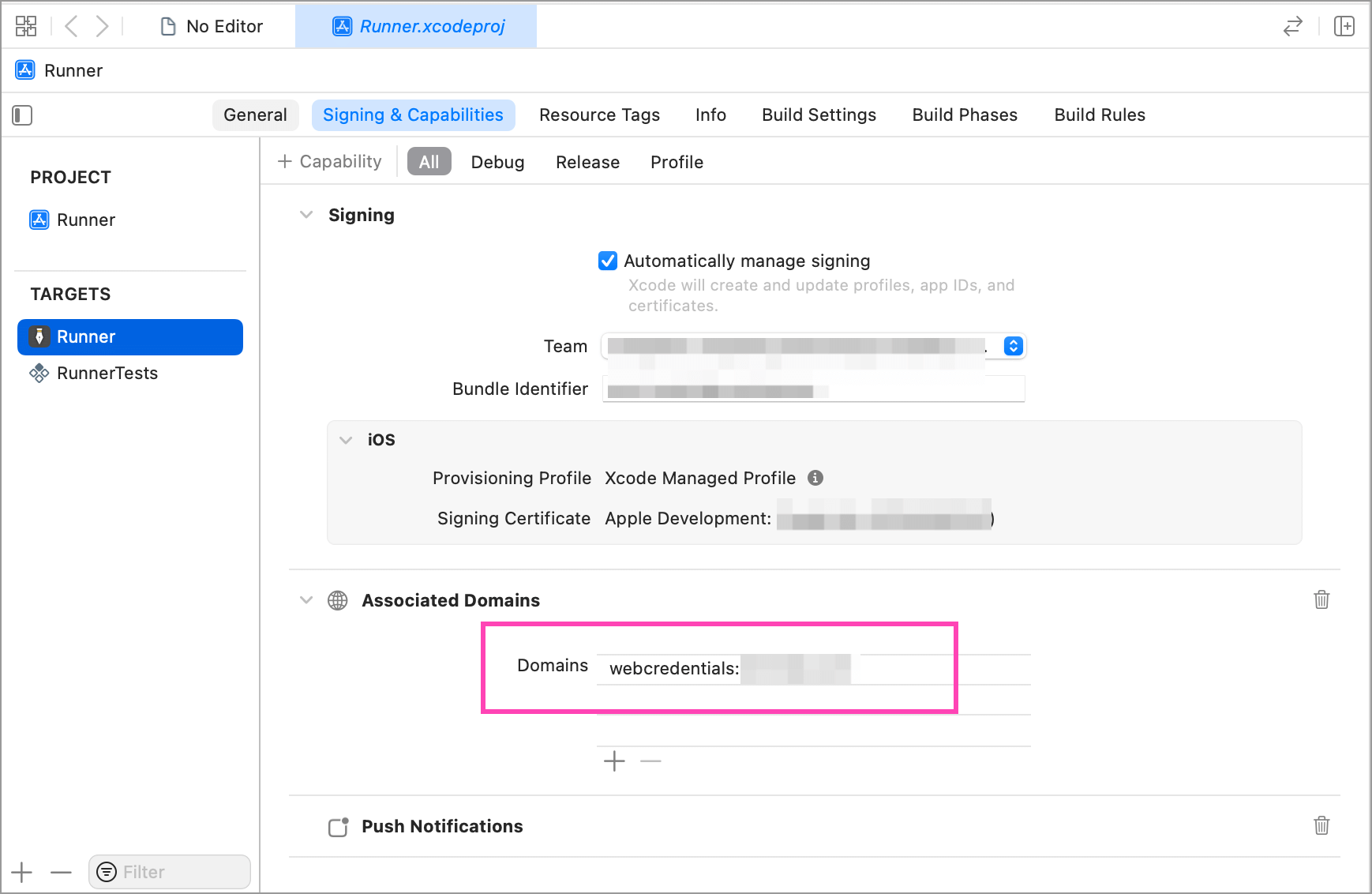
在 Xcode 中为 App 添加关联域名,格式为 webcredentials:你的域名,例如 webcredentials:test.com。
apple-app-site-association 文件的作用是什么?
apple-app-site-association 文件用于证明指定 App 与当前域名相关,需包含 webcredentials 字段和真实的 TeamId、BundleId。
在 Flutter 中如何使用 AutofillGroup 组件?
在 Flutter 中使用 AutofillGroup 组件包裹需要自动填写的表单部分,并为每个字段添加 autofillHints 属性。
完成设置后,App 登录如何适配 1Password?
完成设置后,App 登录时应能正常适配 1Password,自动填写相关表单字段。
